Tronscanner
How to choose a crypto wallet

How to choose a crypto wallet ?
If you have decided to get a crypto wallet and started looking for the right one, you will quickly find that there are plenty of options. Some apps require an account and personal information, while others let you get started without registration. Some support only a few coins, while others support thousands of assets across multiple networks. The way your crypto is managed can also differ: in some wallets, a service controls the private keys, while in others, they remain under the user’s control.
That is why choosing a wallet should not come down to its app rating or appearance alone. It is worth understanding who will control access to your crypto, how the wallet protects that access, whether it supports the assets you need, and what you can actually do inside the app.
It is better to spend a little time understanding these things before making your first significant transfer than to discover the wallet’s limitations after you have already started using it.
1. Do you need to register or complete KYC?
A good place to start is with a simple question: what does the wallet require from you before you can use it?
Some services work through an account and may ask for an email address, phone number, or identity verification. Other wallets let you create a wallet without registering or providing personal information.
This can be especially useful if you mainly need a wallet to hold crypto, receive transfers, and send them. A regular blockchain transaction does not itself require a passport or identity verification, so any additional registration in this case is a requirement of the particular service, not of the blockchain.
If basic wallet operations are all you need, a wallet without mandatory registration or KYC lets you get started faster without providing personal information just to access your assets.
Additional features should be considered separately. Buying or selling crypto for fiat is usually handled by third-party payment providers, which may require KYC depending on your country, payment method, and their own rules. Swap conditions can also depend on the particular service or liquidity provider.
2. Who controls the private keys?
The next question is more important than the way the app looks: who actually controls access to your crypto?
BTC, ETH, USDT, and other assets are not stored inside the wallet app itself. Information about assets and transactions exists on the blockchain, while the wallet lets you interact with them using private keys.
This is where the distinction between custodial and non-custodial wallets comes in.
With a custodial model, the service manages the keys and the user accesses their crypto through an account. With a non-custodial wallet, the private keys remain under the user’s control.
If you are planning to buy crypto and hold it for the long term rather than constantly trade it on a centralized exchange, a non-custodial wallet is especially worth considering. It means you do not leave control of your keys with a third-party platform, and access to your wallet does not depend on an exchange account.
This does not mean security no longer requires attention. On the contrary, having control also means being responsible for protecting your device and the information needed to restore the wallet.
3. How are the keys protected, and how can you restore the wallet?
If a non-custodial model suits you, the next thing to understand is how a particular wallet handles private keys.
Check where the keys are generated and stored, whether they are sent to the company’s servers, and where transactions are signed. It is also useful to see whether the app itself can be protected with a PIN, biometrics, or other available security measures.
It is just as important to know what happens if you lose or replace your phone. Many non-custodial wallets use a recovery phrase — a secret sequence of words that can restore the keys associated with the wallet.
This gives you independence from an account or support team, but the recovery phrase must be stored securely and never shared. If the company does not keep a copy of it, it cannot recover the phrase for you.
So instead of relying on a secure wallet label, look at how key storage, transaction signing, and wallet recovery actually work.
4. Which cryptocurrencies and networks are supported?
Once you understand how access is managed, you can move on to the practical question: will the wallet support the assets you actually want to use?
Some apps are built for a single network or a small selection of coins. Others are multi-chain wallets that support thousands of cryptocurrencies and tokens across different blockchains.
This matters for more than just the number of coins. For example, USDT and USDC exist on multiple networks. Seeing USDT supported is not enough — you should also check whether the wallet supports the specific network you plan to use.
You may only need BTC today, but later you might want to add ETH, SOL, USDT, or other assets. Broad network support means you are less likely to need a different wallet every time your needs change. It also makes it easier to manage different assets from one app.
So look at both the number of supported assets and the list of supported networks.
5. What else can you do directly in the wallet?
If you plan to do more than simply hold crypto, it is worth checking which additional tools are available inside the app.
Almost any wallet lets you receive and send supported assets. Some also let you make a swap — exchanging one cryptocurrency for another directly from the wallet.
This is useful if, for example, you want to exchange ETH for USDT: instead of first sending ETH to a centralized exchange, making the trade there, and then withdrawing USDT back to your wallet, the swap can be initiated directly from the wallet if the pair is supported.
Another useful feature is the ability to buy crypto from within the app. This is usually provided through integrated third-party payment providers. Some wallets also let you sell crypto for fiat through these providers.
The more everyday operations you can handle from one app, the less often you need to move between a wallet, an exchange, and other services. You should still check the details before every transaction, including asset availability, network, rate, fees, and any requirements of the provider.
6. How easy is the app to use?
A good wallet does not need to look technically complicated just because it works with blockchains and cryptography behind the scenes.
For everyday use, a simple app can often be much more practical than an interface overloaded with tools. Getting a receiving address, sending crypto, choosing a network, checking transaction history, or finding an asset should be quick and easy to understand.
Behind these simple actions, the wallet handles fairly complex tasks: creating and signing transactions, communicating with blockchain networks, and retrieving balance and fee information. But users should not have to understand all of that every time they make a transfer.
A good interface lets you complete the task quickly while still making it clear which asset, on which network, and to which address you are about to send, before you confirm the transaction.
If you plan to use the wallet regularly, that simplicity can quickly become one of its biggest advantages.
7. Is reliable support available?
Support is easy to overlook when choosing a wallet — until you have your first question about a transaction, network, or app feature.
This becomes especially important if you plan to manage amounts that are significant to you. In that case, it is reassuring to know there is an official support channel where you can get help instead of searching for answers in random Telegram chats or messaging unknown people.
Support can explain how a feature works, help you understand a transaction status, or guide you through the app. But with a non-custodial wallet, support should never ask for your private key or recovery phrase, and it cannot sign transactions on your behalf.
So access to support does not replace your own control of the wallet. It simply makes using the app easier when you need help.
How to apply these criteria in practice
Once you check these points, the list of suitable wallets usually becomes much shorter. At that stage, it makes sense to look at a product as a whole rather than focusing on one standout feature, and see how well it matches the way you plan to use crypto.
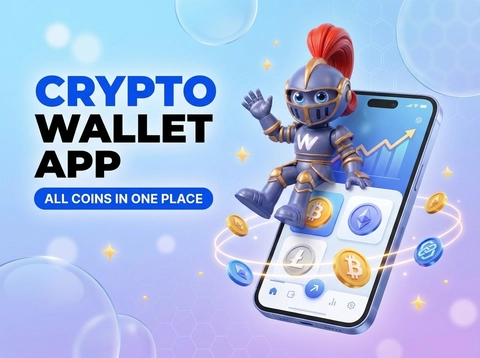
If you are looking for a non-custodial mobile wallet for everyday use with different assets, IronWallet is built around this model.
In IronWallet, private keys are generated and stored locally on the device. They are not sent to IronWallet servers, and transactions are signed directly on the device. Creating a wallet and using its core functions does not require an account or KYC.
IronWallet supports more than 10,000 cryptocurrencies and tokens across different networks, including Bitcoin, Ethereum, Solana, TRON, BNB Smart Chain, Polygon, Base, and Arbitrum. This makes it possible to manage different assets from one app.
The wallet also includes built-in swaps for supported assets, while buying and selling crypto is available through third-party providers. Terms and requirements for those third-party services may vary depending on the provider and region.
If you have questions about the app, you can contact support directly from IronWallet, with the support team available 24/7. At the same time, the team does not have access to your private keys or recovery phrase
In the end, you do not need to look for one wallet that is equally suitable for everyone. First decide what you want to use it for, understand how it works, and then choose an app that you can use confidently and comfortably over time.